How to build self-contained executables
- Pick a repository. In this example, we will use MFTECmd.
- Open a shell (like powershell for example) and change directories to where you want the repository cloned. Here, I am using
C:\Temp -
Run
git clone https://github.com/EricZimmerman/MFTECmd.git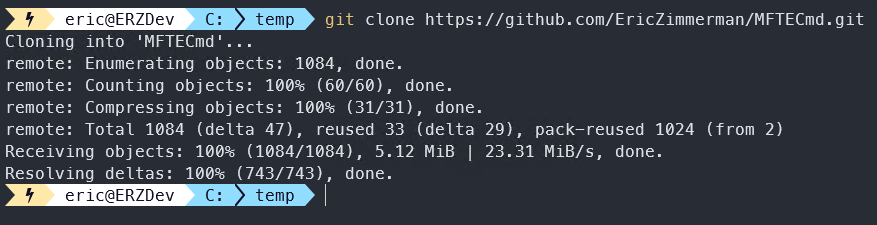
-
Change to the repository directory
cd c:\Temp\MFTECmd\ -
Build with
dotnet publish -f net9.0 -r win-x64 -p:PublishSingleFile=true --self-contained true -p:IncludeNativeLibrariesForSelfExtract=true
-
go to
C:\Temp\MFTECmd\MFTECmd\bin\Release\net9.0\win-x64\publishand you will see your executable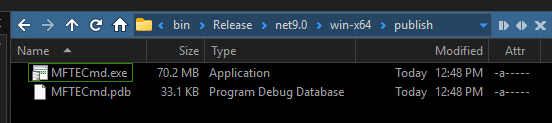
-
???
- Profit
As an example, the 'normal' net9 version of MFTECmd is 2.56MB across 3 files, whereas the self-contained version is 74.4MB!
This is certainly a tradeoff, but it works.
Simply repeat this for any other executable you want, then TEST it out.